One register, many communities
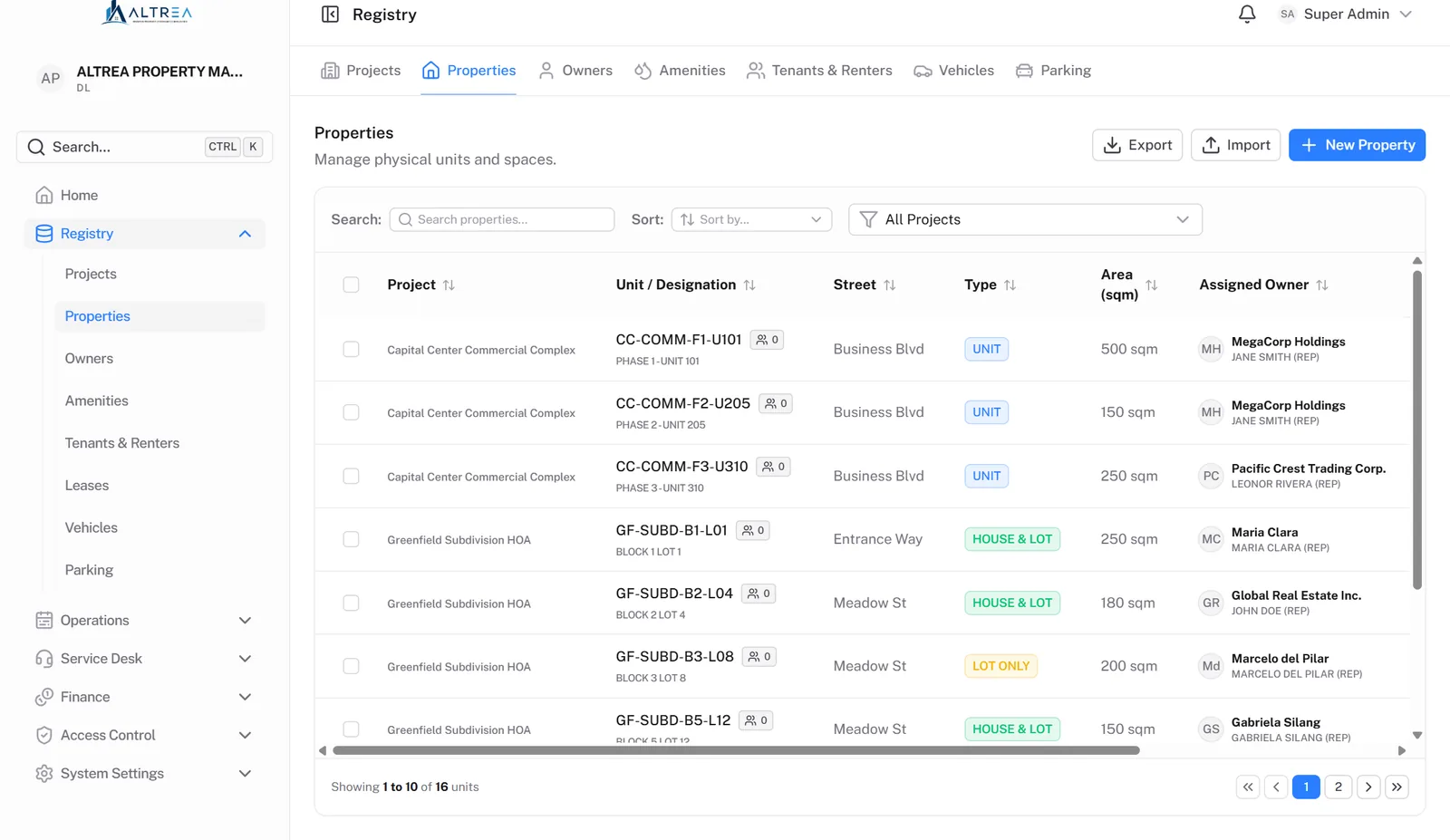
Projects (condominium corporations, subdivisions, commercial complexes), their units and lots, owners, tenants, leases, vehicles and parking slots. An owner with units in two communities is a single record.

Features
Six integrated modules sharing one database and one hierarchy. No sync jobs, no exports, no "which spreadsheet is current?" Every screenshot on this page is the actual product on sample data.
01 — Registry
The single source of truth for your physical assets and the people tied to them — across every community you manage.
Projects (condominium corporations, subdivisions, commercial complexes), their units and lots, owners, tenants, leases, vehicles and parking slots. An owner with units in two communities is a single record.
A sale is recorded as a transfer that closes one ownership and opens the next in one step. Old statements keep naming who owned the unit at the time; the buyer never inherits the seller's paperwork.
Floor area beside lot area for per-square-metre dues. Each community's registered name, TIN and SEC/HSAC number on its own statements and receipts. Joint owners printed on the statement with one party billed.
Projects, properties, owners, tenants, leases, amenities, vehicles and parking load from CSV with a template per register and a dry run first — and export back out in the same columns.
02 — Billing & Finance
Full double-entry books on an accrual basis, kept separately for each community. This is the module lighter tools can't fake — and the one your auditor will thank you for.
A fully editable chart of accounts with header, detail and contra accounts. Journal entries go draft → approval → posting, and the preparer can never approve their own. Posted entries are reversed, never edited.
Flat, per-square-metre, metered or lease-based charges with per-community rates and per-unit exemptions. The preview flags what would block the run and what would be skipped. Running it twice never bills twice.
Grace days, percentage or fixed amount, caps, minimums and the resolution number — effective-dated, so superseding a rule keeps the old one as the record of what applied.
Statements numbered per association, printed, and downloadable as a PDF statement of account. A statement that has gone out is never rewritten: corrections are credit memos with a stated reason.
Receipts for cash, cheque, bank transfer and e-wallet payments. A post-dated cheque register where a cheque in the drawer is custody, not money. Deposit slips that bank collections into the right account.
Disbursement vouchers prepared, approved and released by different people, posted on release. Refunds of overpayments and construction bonds can never exceed what is actually held.
Months close one association at a time. A closed month refuses new postings, including reversals. Year-end close moves each community's result into its own retained earnings.
Aging as at any past date, restated from the records. A reconciliation report compares four independent sources per unit and names the variance, not just the total.
Rent billed from the lease with dated escalations; VAT on billing where the association charges it; withholding tax recorded at receipt with a Form 2307 register per tenant and quarter.
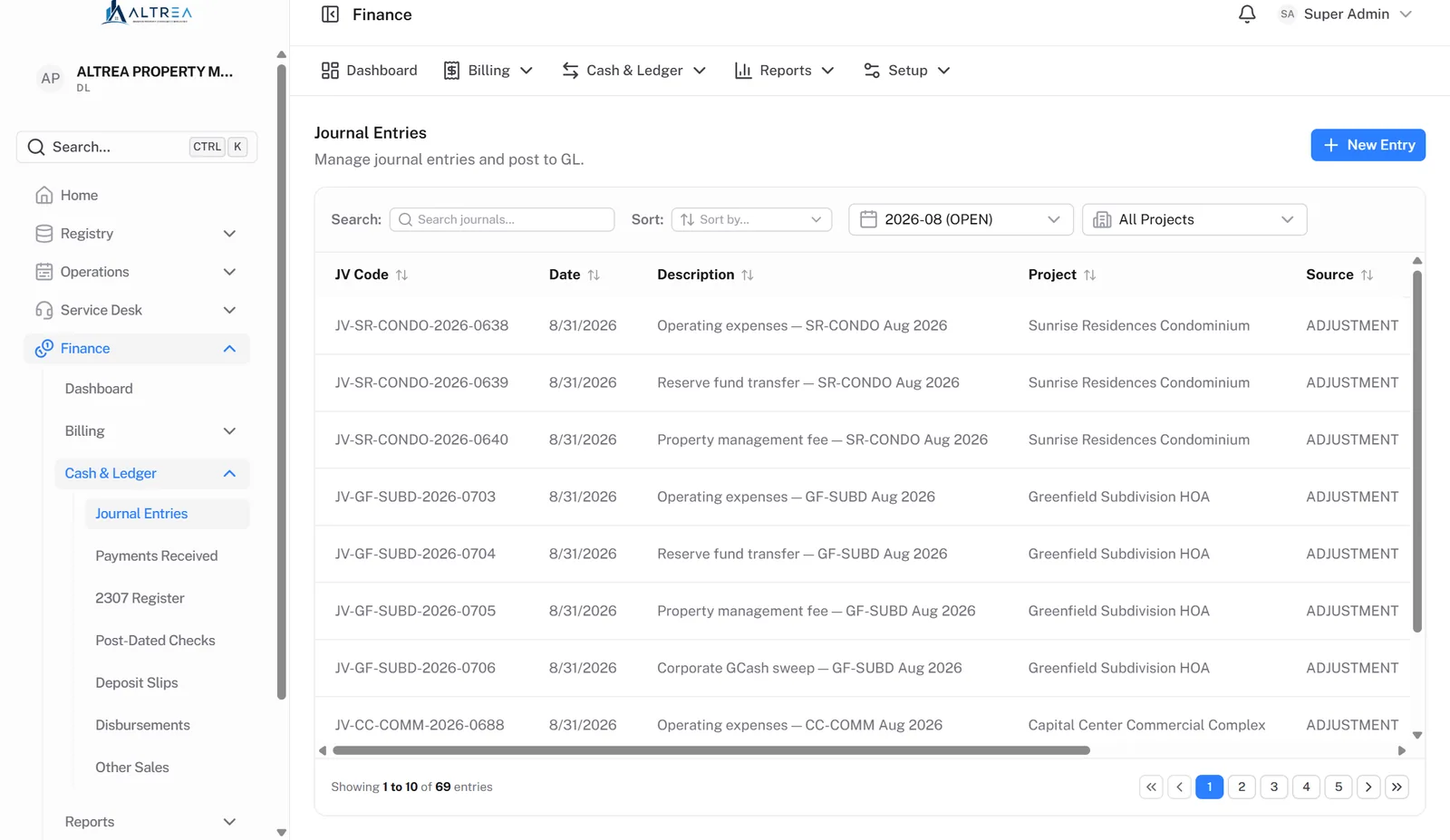
Journal entries — every event, a balanced entry
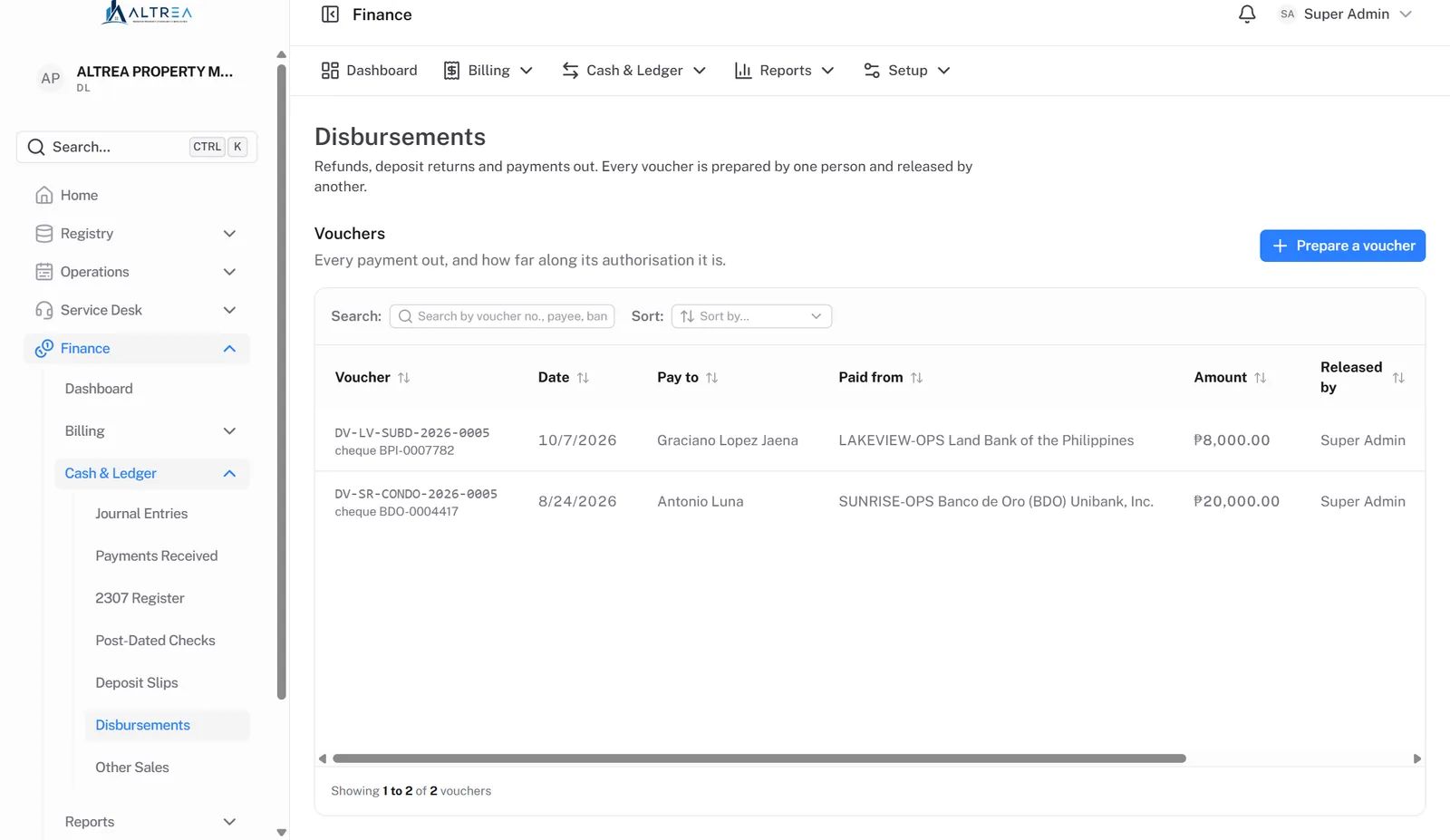
Disbursements — prepare, approve, release
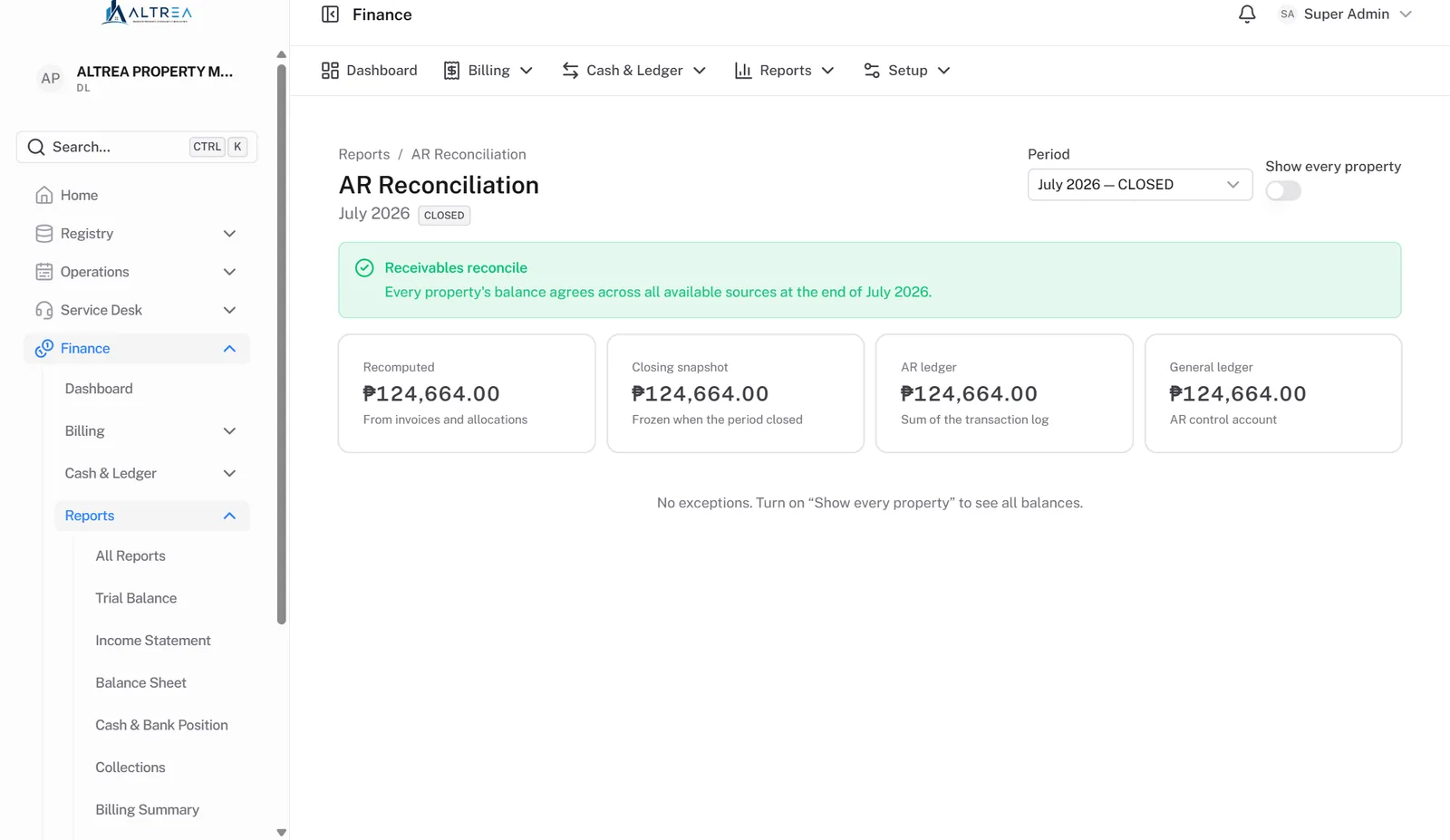
AR reconciliation — four sources, one answer
03 — Service Desk
A centralized ticketing module built for rapid response to community issues — and for proving it afterwards.
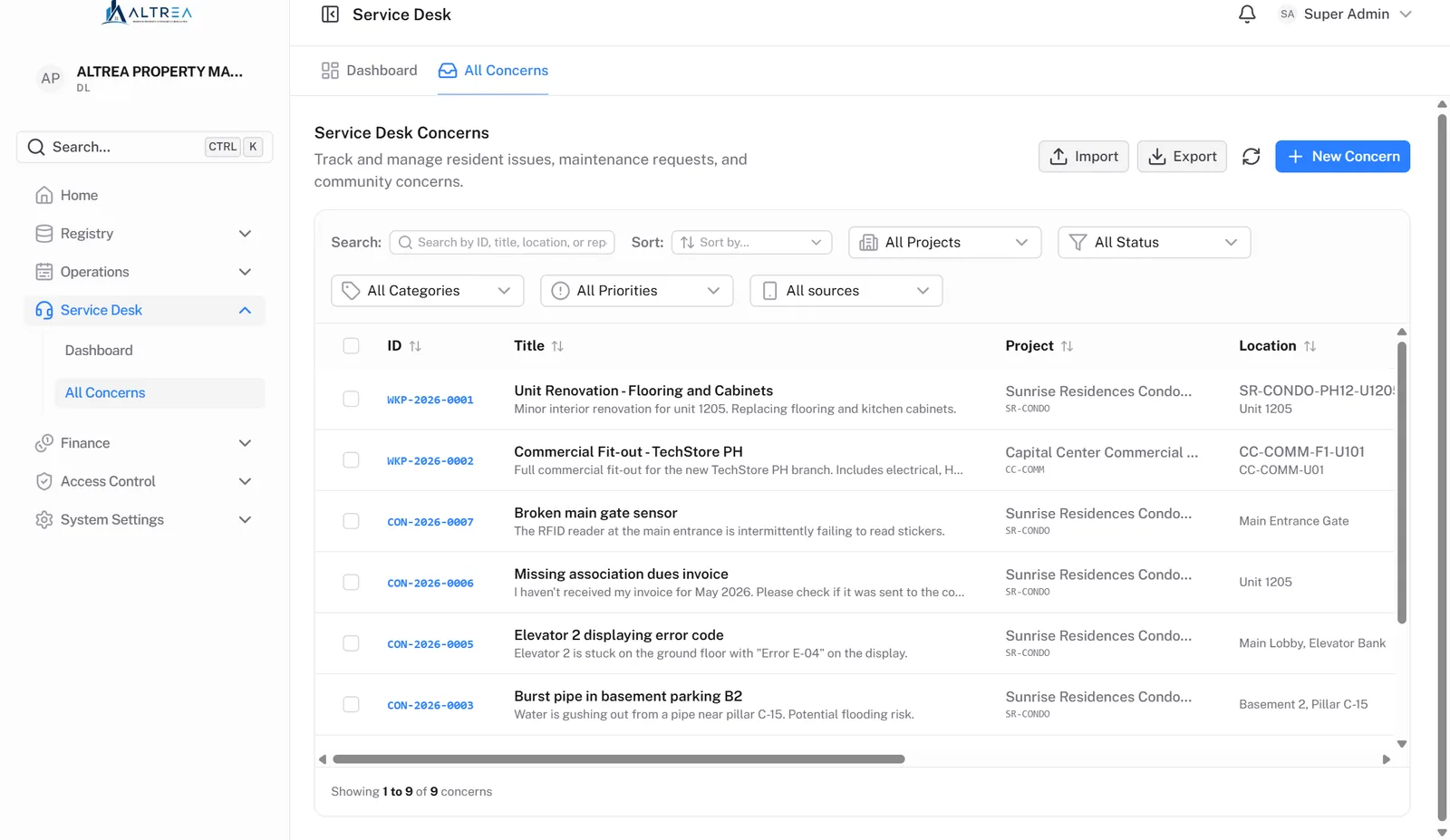
Residents file from the portal; staff file for walk-ins and phone calls. Each concern carries a category, a priority, a location and a reference the resident can quote.
One thread, two audiences. The comment box says by name whether the resident will see it. An office note reaches no resident, no bell and no email.
The resident is told in the portal and by a link-only email. Every status change and reassignment goes on an activity trail automatically.
04 — Operations
The day-to-day physical administration of your community — handled, tracked, and billed without the paper trail.
Each amenity carries its own hours, slot size, notice period, capacity and fee. Residents request within those rules and never see who holds a taken slot. Staff approve; a fee becomes a charge on the unit only on approval.
Per-community permit categories with a fee, a construction bond and a longest duration. The bond is billed to a liability account and the work is not in force until it is paid. After inspection, what remains goes back on a voucher a second person releases.
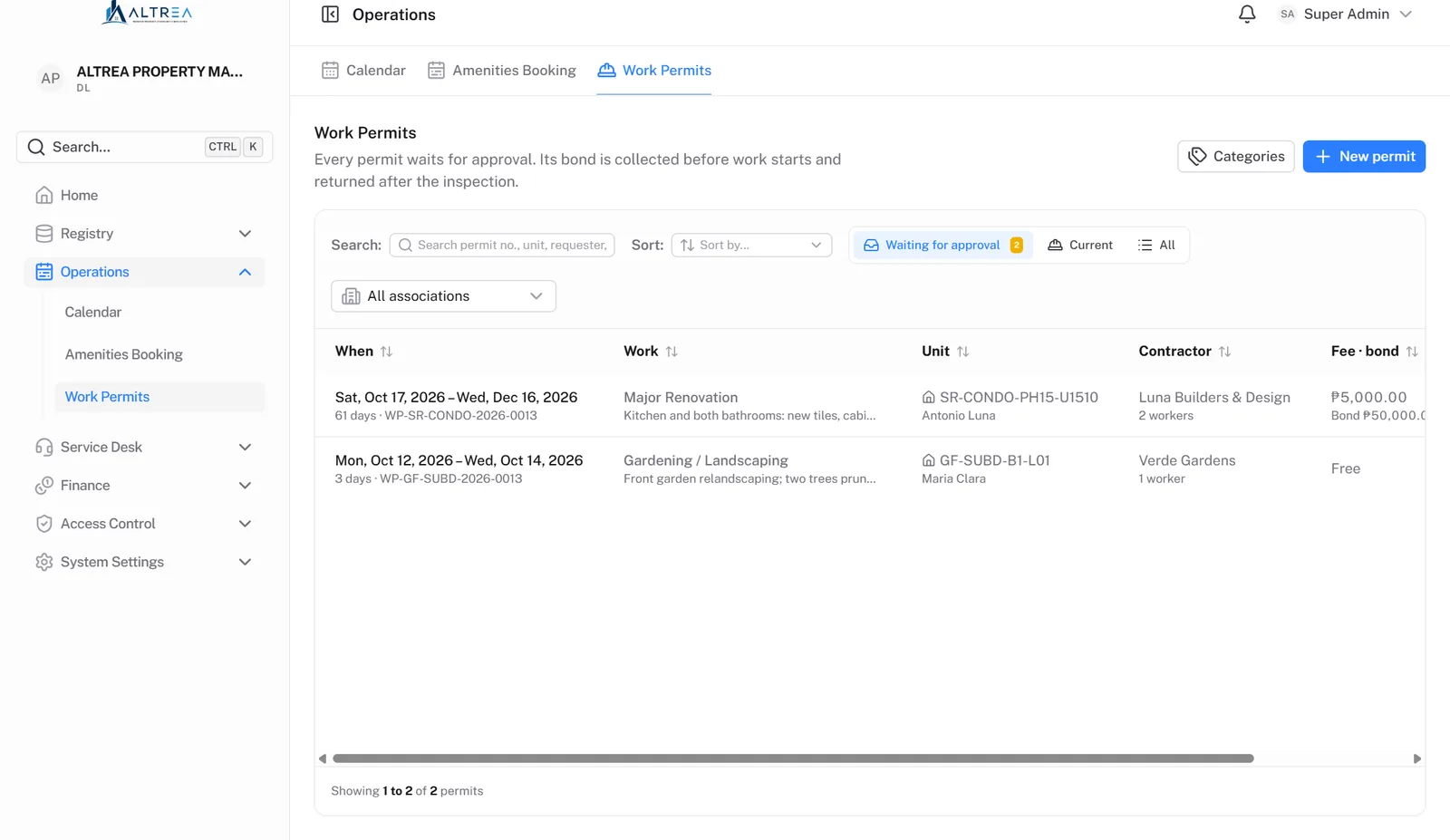
Work permits — fee, bond, inspection, refund
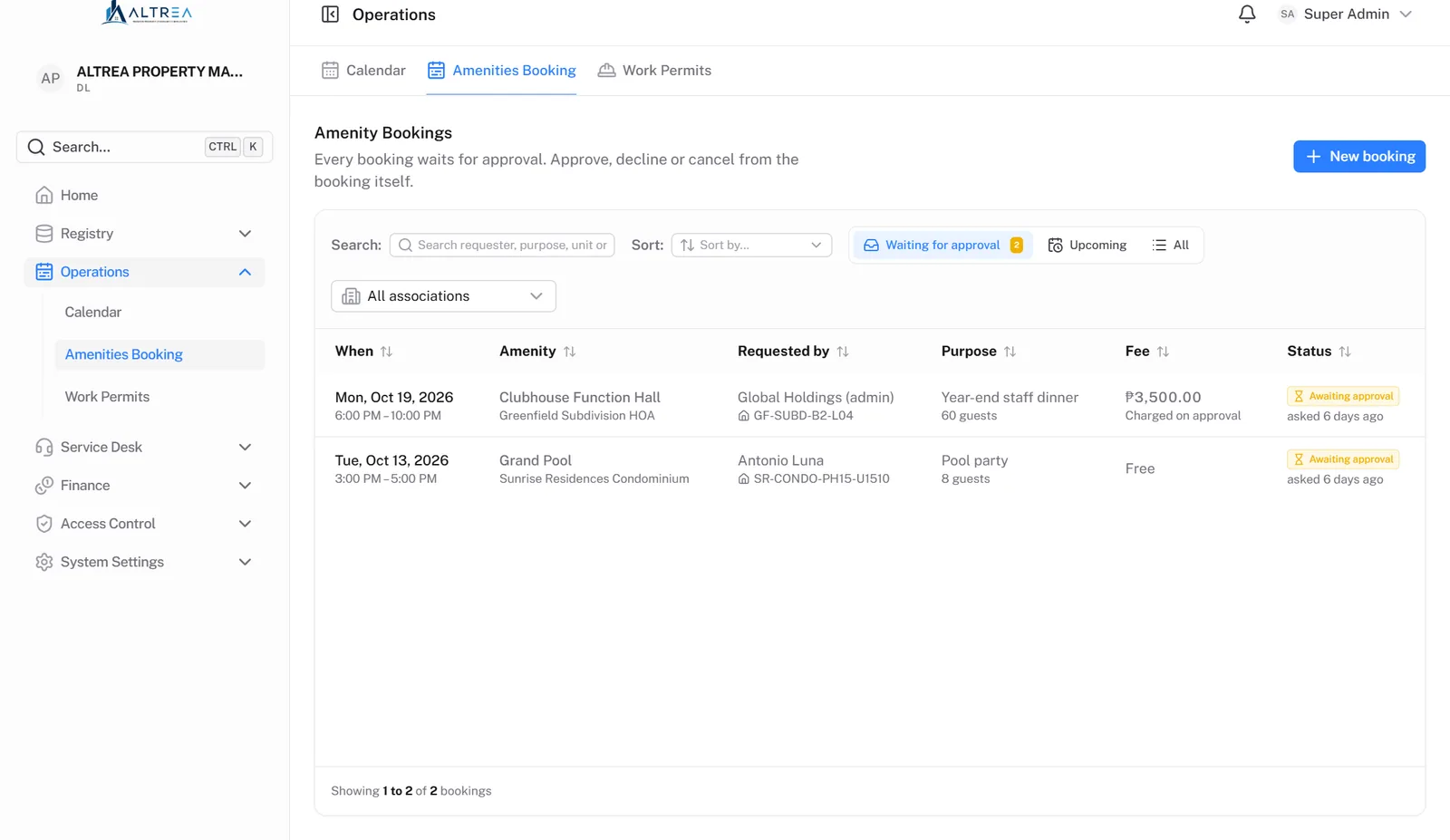
Amenity bookings — a person approves every one
05 — Resident Portal
An owner of record signs in to see what they owe, what they were charged for and whether their payment landed — the same figures the office sees, from the same source.
Units grouped by community, the balance and how old it is, every statement that has left the office, every payment and what it settled, and every penalty with the rule and resolution behind it.
Downloaded on demand, addressed to the owner, covering only their own documents. Emails from the portal carry a link and never a figure.
Report a concern and follow the office's reply. Request an amenity booking. Apply for a work permit and see the fee, bond and duration before typing anything. Invite a family member to view.
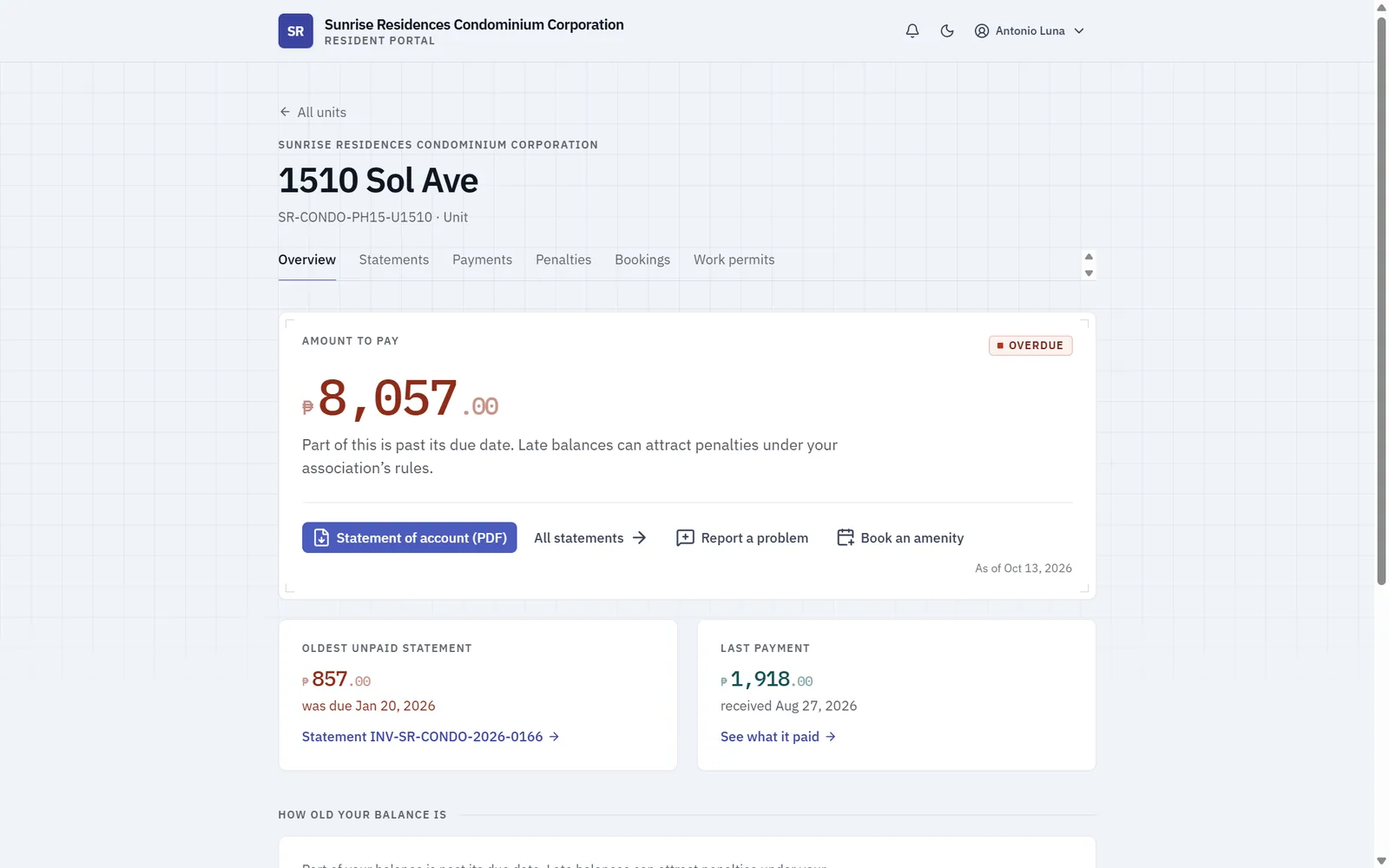
A unit's overview — amount to pay, oldest statement, last payment
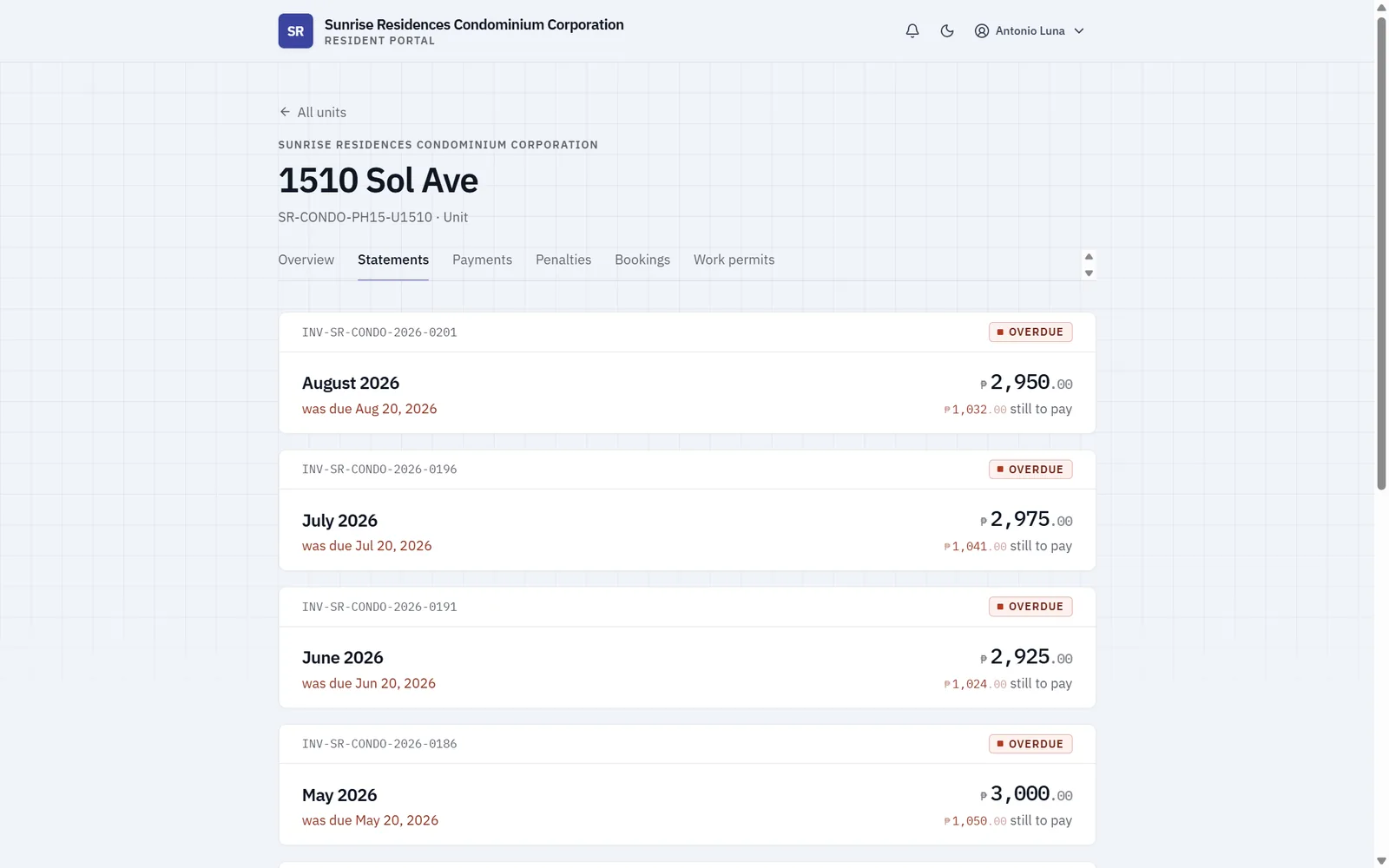
Statements — what was billed, what is still to pay
06 — Access & Audit
Enterprise controls for data integrity and accountability — on top of a dedicated instance that's yours alone.
Your own database and environment, never shared. Hosted by us, or on infrastructure you control. Updates go live when you are ready.
Ready-made roles you can adjust, with irreversible and debt-forgiving actions held apart from ordinary edits. A user can be confined to one community, and whoever manages roles can only grant what they hold.
Authenticator-app sign-in for staff, required for administrators. Every change to every record logged with before-and-after values, in the same transaction as the change.
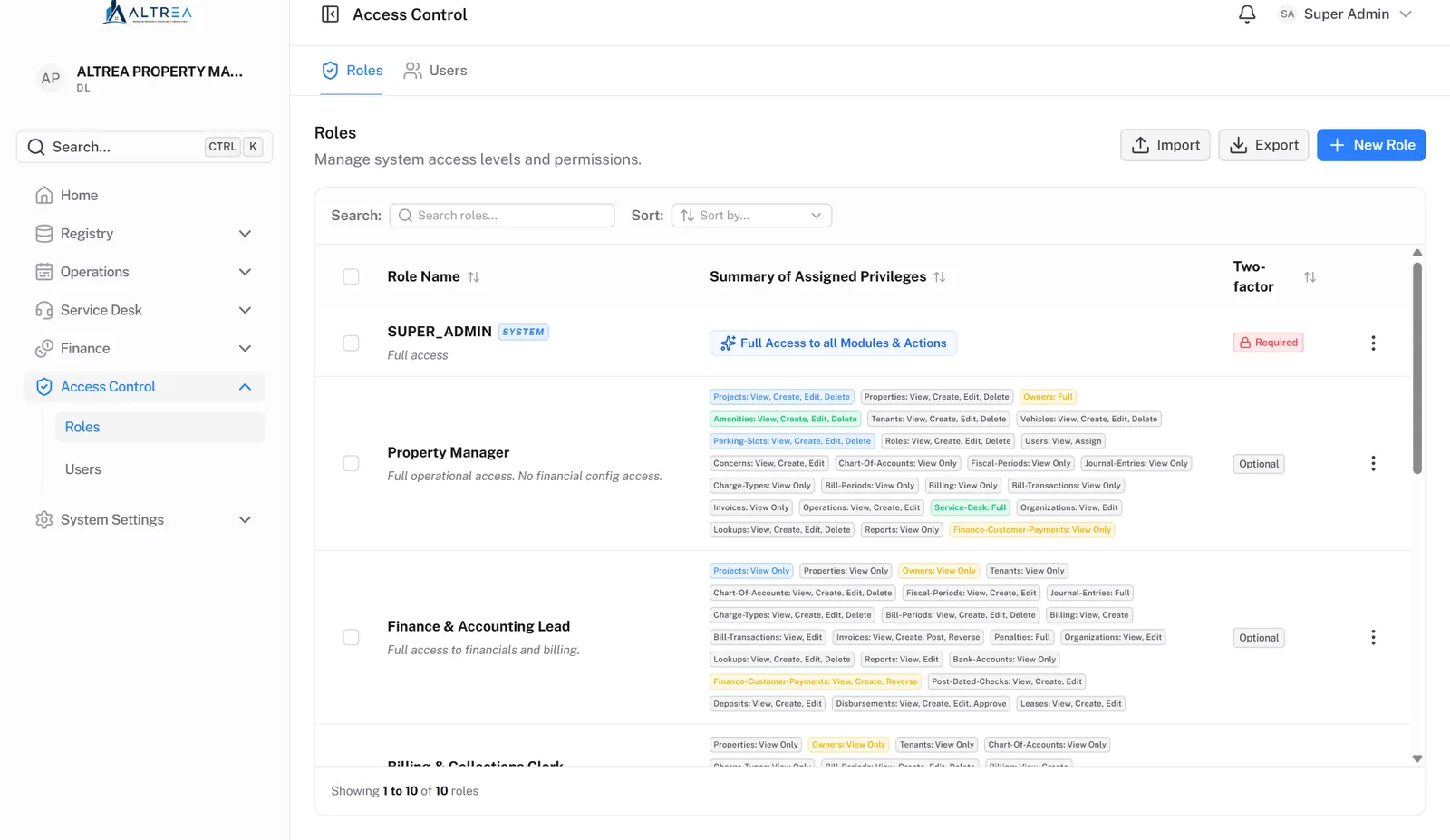
Roles — privileges per module, per action
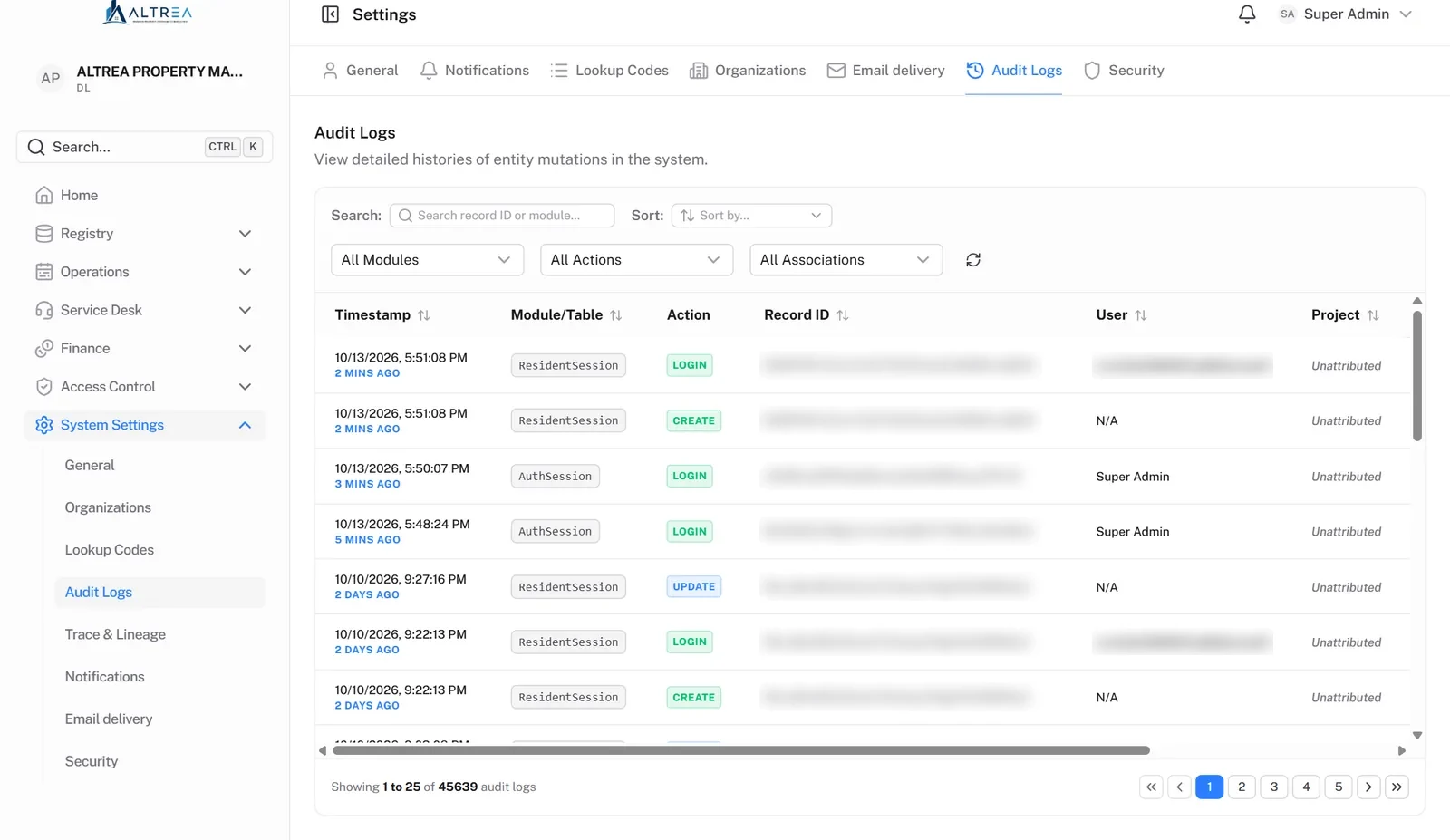
Audit log — who, what, when, before and after
How We Know It's Right
See It Live
The fastest way to evaluate Altrea is to watch a month of billing run live — charges, statements, a payment, the reports — then ask your hardest questions.